Loading...

Capabilities

One Platform for Every Research Program Model

Patient registries, clinician-led enrollment, pediatric and family studies, multi-site programs, genomics and imaging, and outcomes research all run on the same compliant infrastructure, configured for your program instead of custom-built.

Schedule a DemoExplore program models
6Enrollment pathways
11Survey question types
3Respondent roles: participant, clinician, caregiver
7Named compliance standards
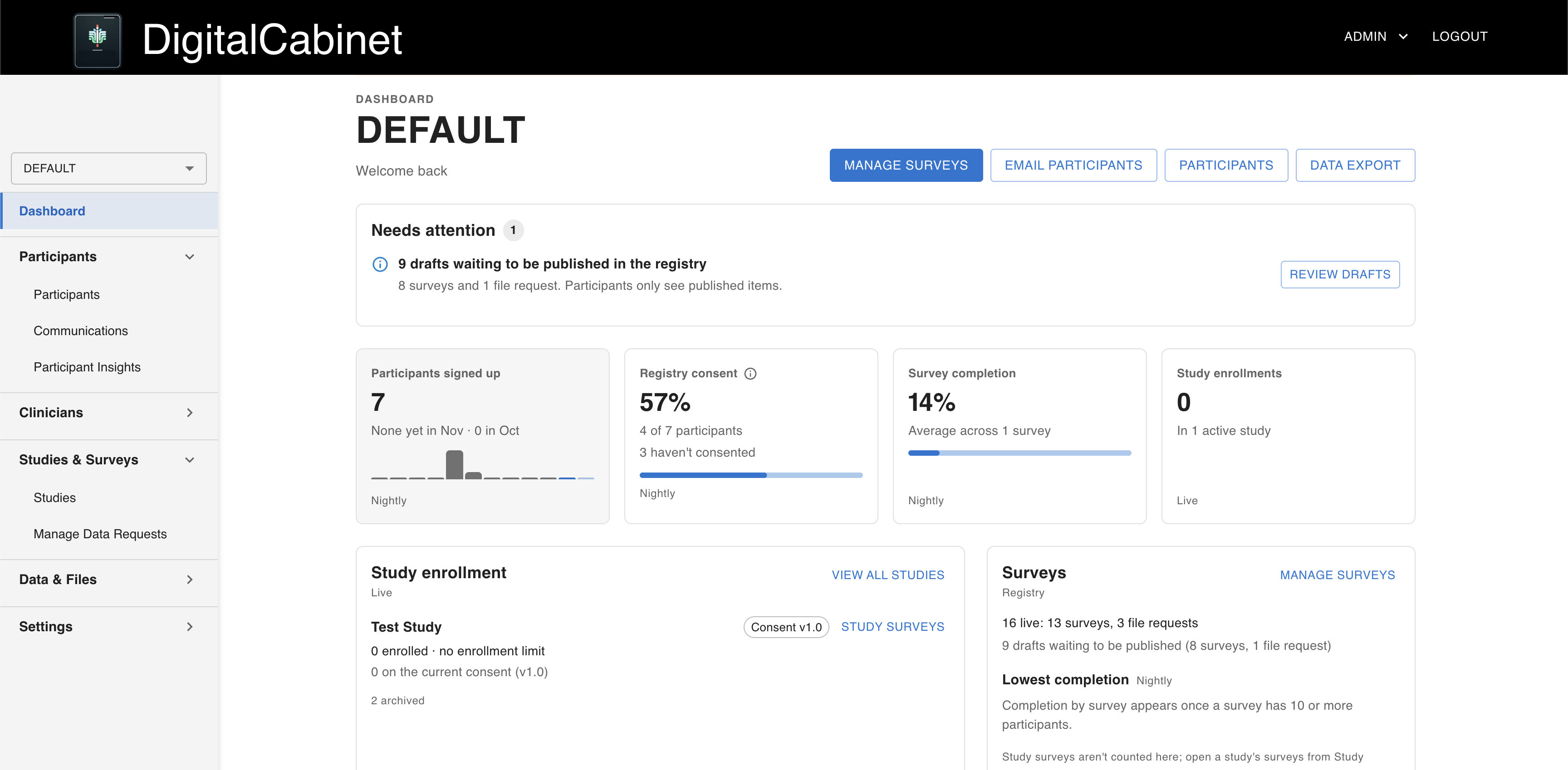
DigitalCabinet admin dashboard with a needs-attention list, figures for signups, registry consent, survey completion and study enrollment, and study and survey summaries

Built for How Your Program Actually Runs

Most programs combine several of these models. All of them run on the same platform, with the same isolation, consent, and audit guarantees.

Program model 01

Patient & Disease Registries

Built forDisease foundationsAdvocacy organizationsRare disease communities

The challenge

A registry has to stay useful for decades. New participants arrive every week, the questions change every year, and consent has to keep up with both. Most registries outgrow the tools they launched on.

How DigitalCabinet handles it

  • Branded participant portal where people sign up and consent on their own
  • IRB-approved baseline platform consent, so you can enroll from day one
  • Longitudinal surveys participants can revisit and update, with timestamped history
  • Program-level Orphanet (ORPHA) disease codes recorded in your configuration
  • Insight cards that return findings and updates to participant dashboards
  • Anonymous recontact for new studies, sent only to participants who opted in
In practicePXE International unified 25+ years of legacy data into one living registry
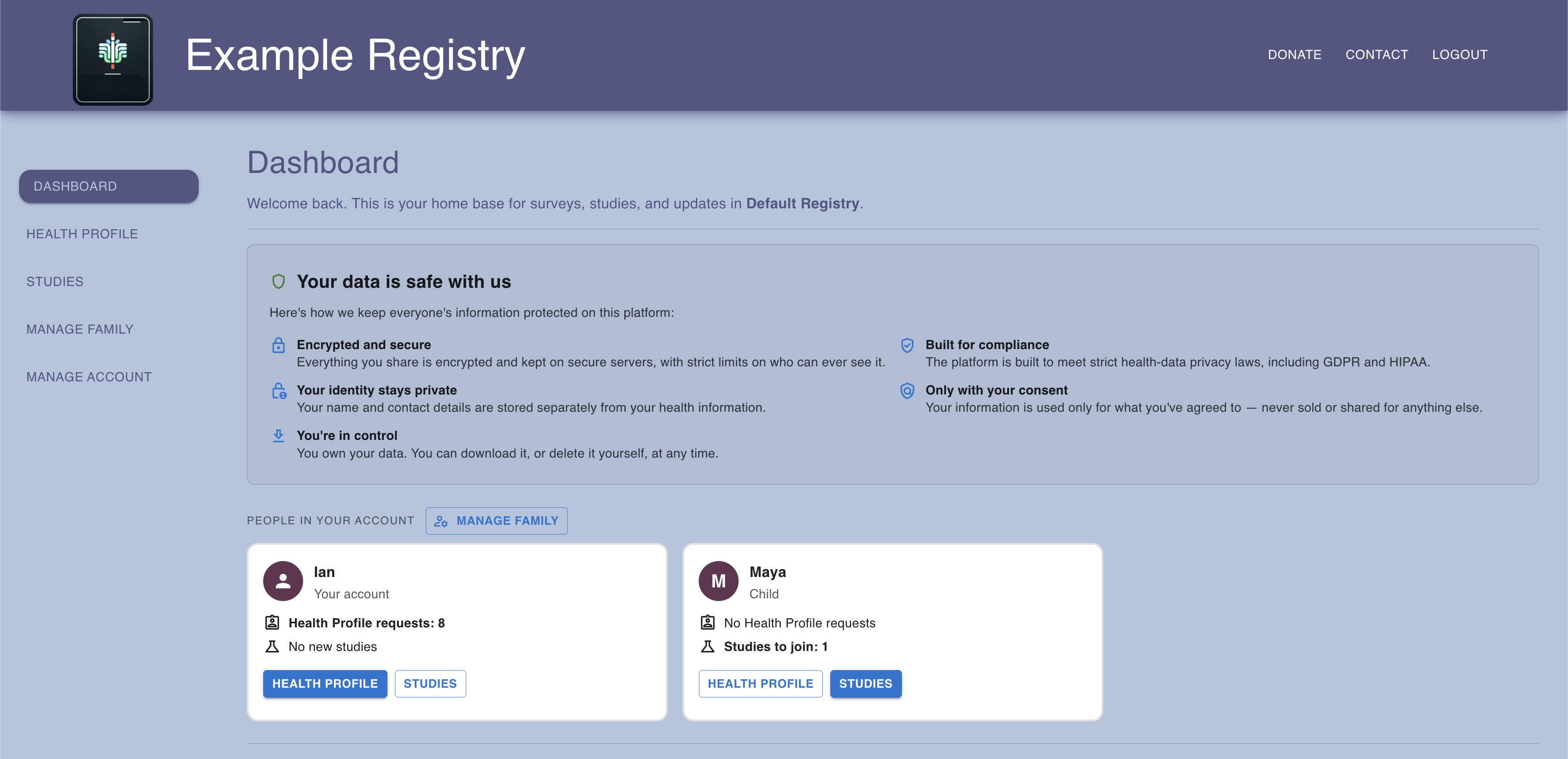
Participant portal dashboard with open surveys, available studies, and an insight card
The participant dashboard: open surveys, available studies, and insight cards from the research team.

Program model 02

Clinician-Led Enrollment

Built forHospital networksAcademic medical centersGenetics clinics

The challenge

Many participants never find a research program on their own. They arrive through a care team, and that team needs to enroll them, record clinical data about them, and see only the patients they are responsible for.

How DigitalCabinet handles it

  • Invite clinicians from the admin portal; each receives a branded email and sets their own password
  • Clinicians enroll participants by email, or by phone number alone with an SMS invitation
  • Clinician-reported surveys about a participant, stored apart from the participant’s own answers
  • Each clinician sees only the participants and studies assigned to them
  • A permanent record of which clinician enrolled each participant
  • Deactivate a clinician without losing anything they submitted
In practiceRISE onboards clinicians worldwide for whole genome sequencing
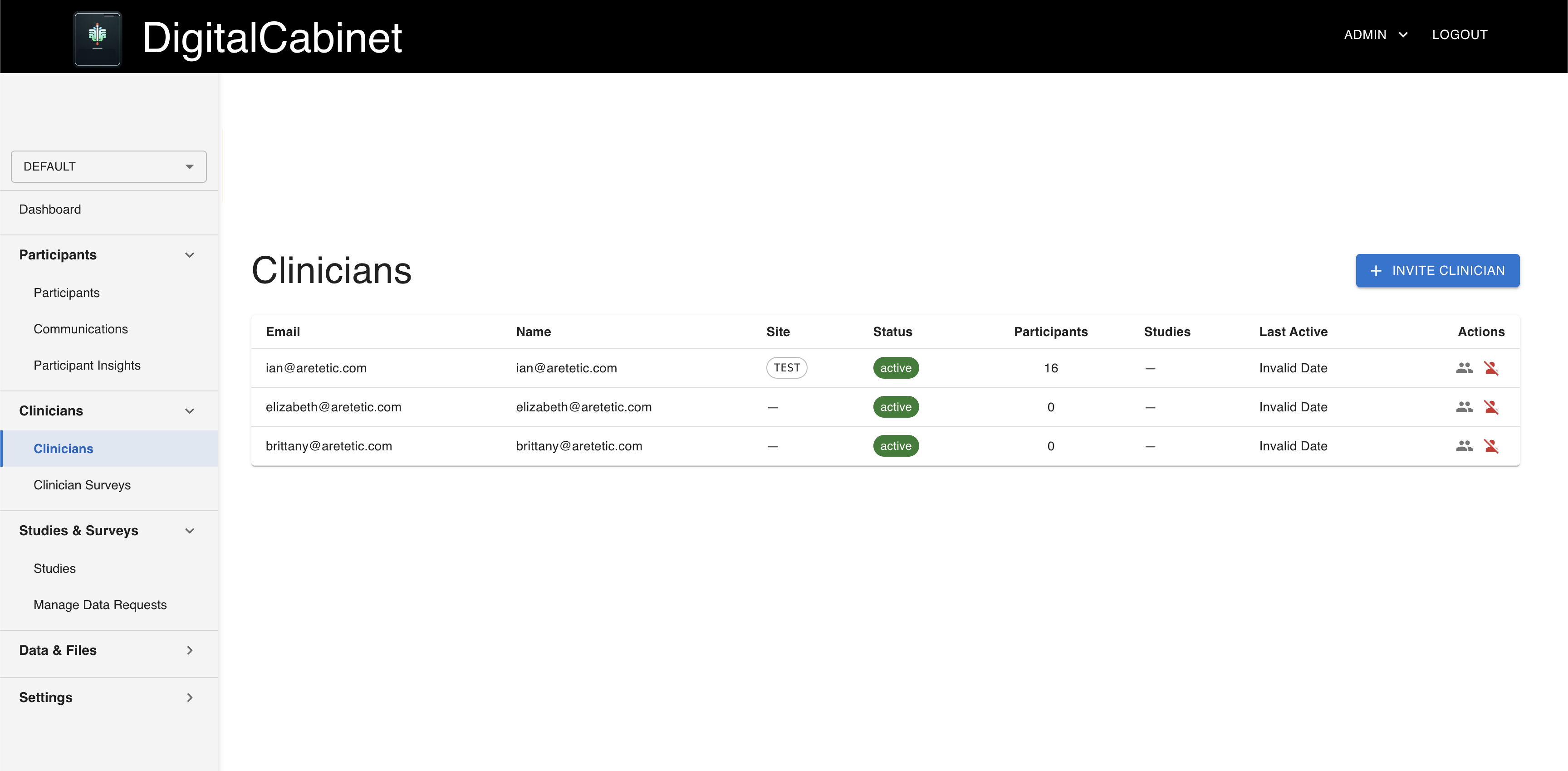
Clinician management showing invited and active clinicians with their assignments
Invite clinicians, assign participants and studies, and deactivate without losing data.

Program model 03

Pediatric & Family Studies

Built forPediatric programsGenetic and rare disease family studiesCaregiver networks

The challenge

When the participant is a child, or an adult who cannot consent, the data comes through a family. Parents, co-caregivers, and legal representatives each need the right authority, and the child’s own voice has to count.

How DigitalCabinet handles it

  • One enrollment flow for a caregiver and any number of dependents
  • Co-caregivers join the same family with their own accounts
  • Guardian permission plus separate minor assent, with configurable age thresholds
  • Minor dissent (45 CFR 46.408) that a guardian cannot override
  • Legally authorized representative consent for adults who cannot consent themselves
  • Proband marking for the clinical study subject, including adult probands
  • Caregiver-reported surveys and file uploads stored under the dependent’s record
  • No data about a dependent is accepted until the required consent is in place
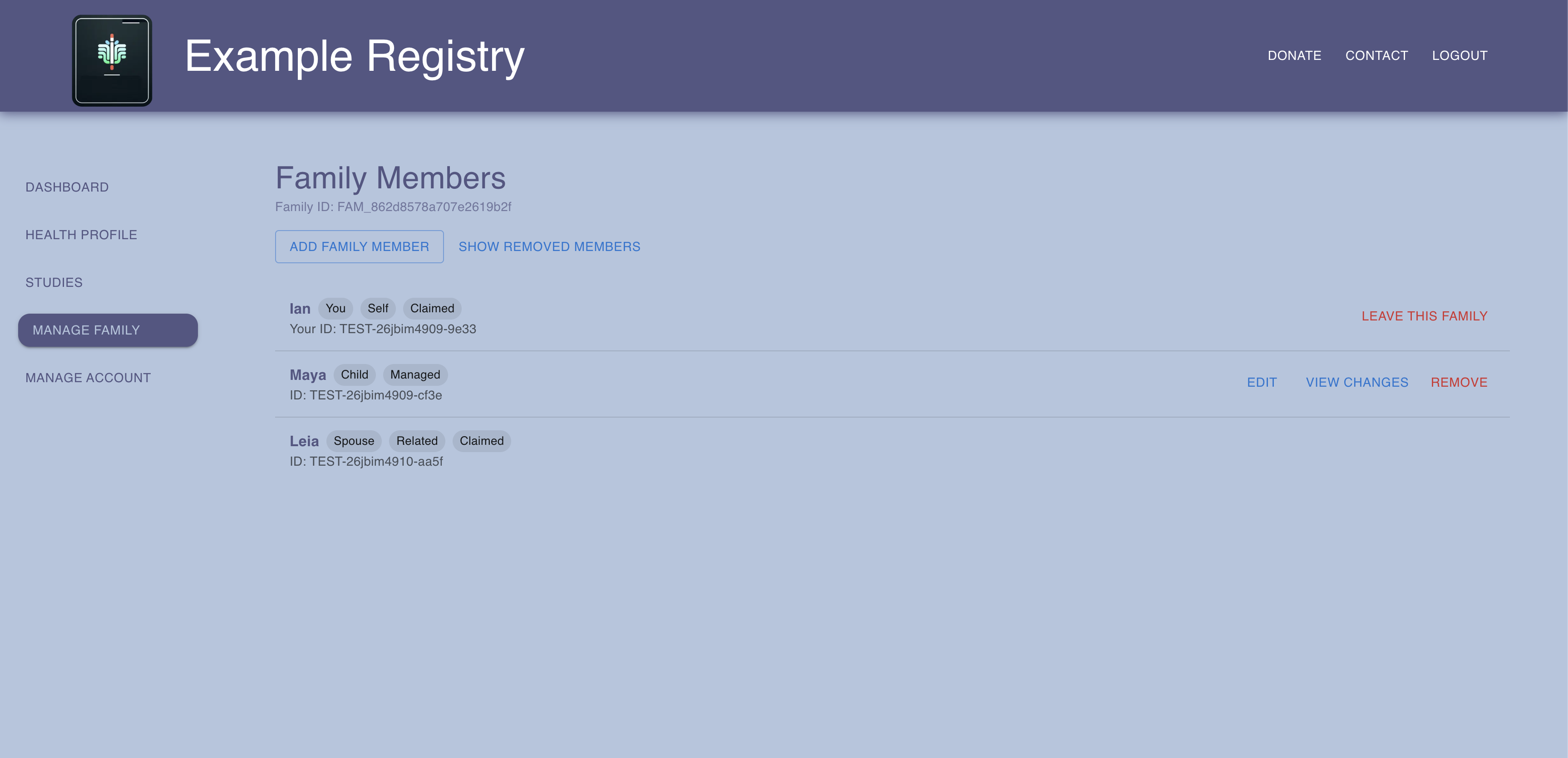
Caregiver view of a family with dependents and their consent and assent status
A caregiver manages consent and data entry for each dependent in the family.

Program model 04

Multi-Site & International Programs

Built forResearch consortiaHospital networksGlobal research initiatives

The challenge

Sites in different countries, languages, and regulatory regimes still need to produce one clean dataset, and coordinators need to see which sites are keeping up.

How DigitalCabinet handles it

  • Named sites with their own codes and countries; participant IDs carry the site prefix
  • Completion of clinician-reported surveys tracked site by site
  • Surveys, consent, and study descriptions in English, French, and Spanish
  • Language versions of an instrument roll up to a single dataset
  • HIPAA- and GDPR-compliant in a single deployment
  • Infrastructure owned and operated by Ethlen in the United States and the European Union
In practiceRISE runs clinician onboarding and genome return across borders
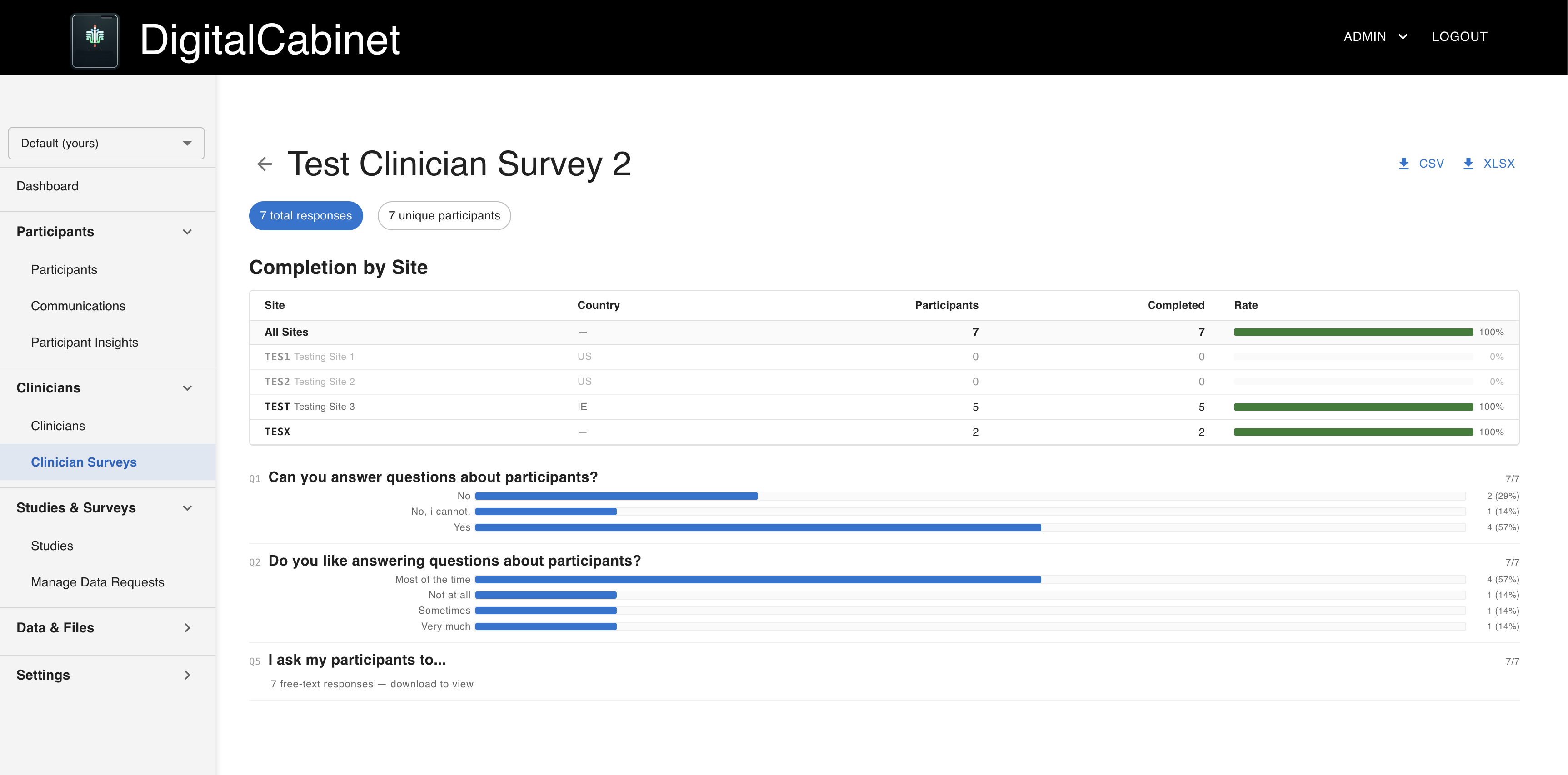
Clinician survey results with completion broken down by site
Clinician-reported data, with completion tracked site by site.

Program model 05

Genomics & Imaging Collection

Built forBiobanksGenomics programsImaging and dermatology studies

The challenge

Whole genomes and imaging studies run to gigabytes, and their metadata often carries identifiers. Shared drives and email attachments handle neither the size nor the privacy.

How DigitalCabinet handles it

  • Resumable, chunked uploads built for multi-gigabyte genomics and imaging files
  • Files encrypted block by block as they stream, so size is never the limit
  • Automatic DICOM de-identification to the PS3.15 Basic Confidentiality Profile
  • NIfTI header identifiers and photo EXIF and GPS data removed at upload
  • Documents that may contain PHI are held for review and never released automatically
  • File upload requests that ask participants for a specific file, scoped to a study
  • Short-lived signed links for returning results to participants
In practiceNevus Outreach collects standardized participant photos alongside its REDCap study
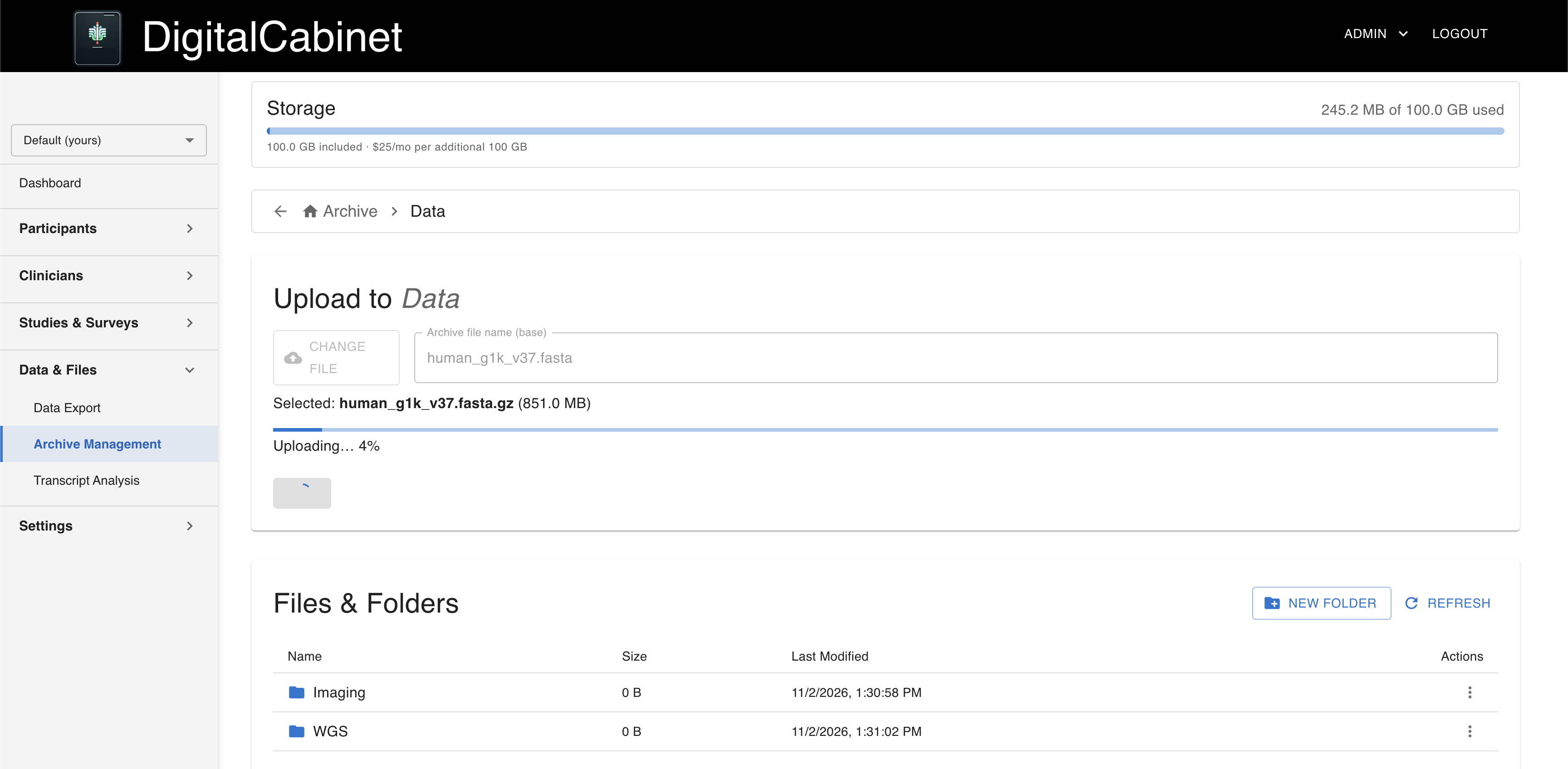
File archive uploading a multi-gigabyte genomics file into a folder
Resumable uploads for multi-gigabyte genomics and imaging files, encrypted as they stream.

Program model 06

Multi-Study & Observational Programs

Built forPharma and CRO teamsAcademic research groupsSponsors running study portfolios

The challenge

One participant population, many protocols. Each study needs its own consent, its own instruments, and its own enrollment rules, and standing up a new system for each one costs months.

How DigitalCabinet handles it

  • Studies with their own titles and descriptions in each language, eligibility rules, and enrollment limits
  • Study-specific consent where every revision is a new, strictly newer version
  • Surveys and file requests that belong to a study, separate from registry-wide instruments
  • Platform consent required before study enrollment, enforced on the server
  • Enrollment and consent status reported as counts, never as names
  • Archiving a study keeps every participant’s data intact
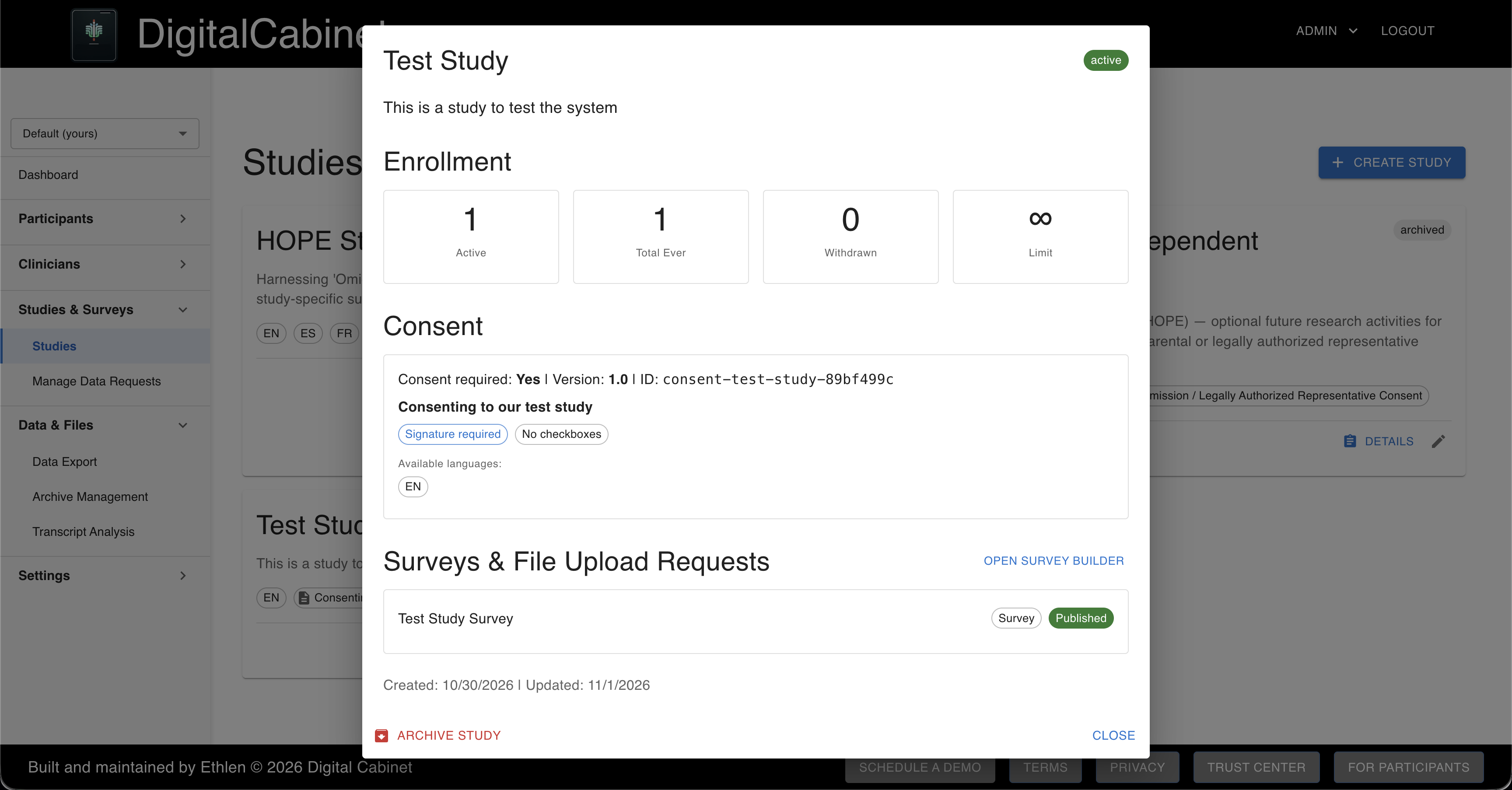
Study detail with enrollment counts, enrollment limit, and consent version
Enrollment reported as counts, never names, next to the study’s own consent version.

Program model 07

Patient-Reported Outcomes & Instrument Design

Built forOutcomes researchersInstrument developersParticipant-led communities

The challenge

Validated instruments need consistent wording, careful branching, and output a statistician can use without a week of cleanup. Co-designed instruments also need participants to rank and sort ideas themselves.

How DigitalCabinet handles it

  • Eleven question types, including matrix grids, Likert scales, and card sorting
  • Branching logic, required fields, validation patterns, and help text
  • Gated surveys that unlock only when a prerequisite survey meets a condition
  • Stable survey keys, separate from display names, that keep language versions in one dataset
  • Wide-format exports, one row per submission, ready for R, SPSS, or pandas
  • Dashboards for signups, completion, and demographics, with k-anonymity (minimum of 3)
In practiceAn oncology community co-designed a physical-functioning instrument with its participants
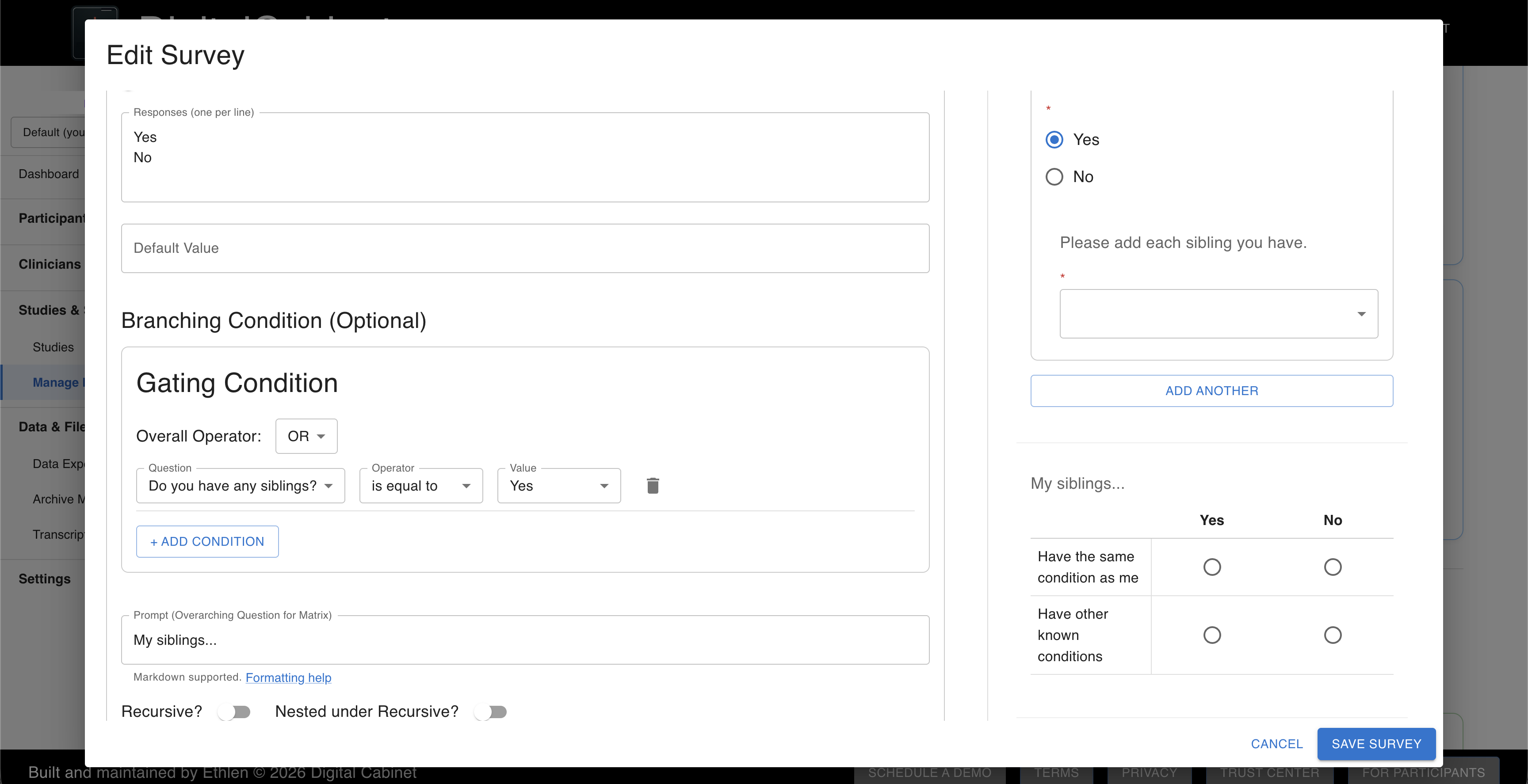
Survey builder editing a matrix question with a branching condition
Validated instruments with branching, gating, and eleven question types, no developer required.

Program model 08

Qualitative & Interview Research

Built forQualitative researchersNatural history studiesPatient-experience programs

The challenge

Interviews produce hours of audio that need transcribing. Sending a participant’s voice to an AI service requires their explicit permission, and you need to be able to show you had it.

How DigitalCabinet handles it

  • Interview audio transcribed into text inside the platform
  • Transcription runs only for participants who opted in to AI processing
  • Recordings from anyone who did not opt in are blocked and never sent
  • Transcripts stored encrypted with the participant’s record
  • Each run reports what was transcribed, skipped, or blocked, and why
  • AI processing is cleared per program by Ethlen; program admins cannot switch it on themselves

Program model 09

Participant-Owned Data

Built forConsumer health programsData cooperativesParticipant-led communities

The challenge

Participants increasingly expect to hold their own data, decide who sees it, and leave when they choose. Programs built on that promise need the controls to be real, not a policy page.

How DigitalCabinet handles it

  • Separate choices for recontact, identity sharing, and AI processing, changeable without re-signing
  • Participants view, download, and update their own data at any time
  • Withdrawal takes effect immediately across the platform
  • Account deletion with a 30-day grace window, then permanent erasure
  • Sealed consent records retained as the legal record after erasure
  • Insight cards and returned results delivered to the participant’s own dashboard
In practiceTrua gives individuals a private vault for their own health and genetic data
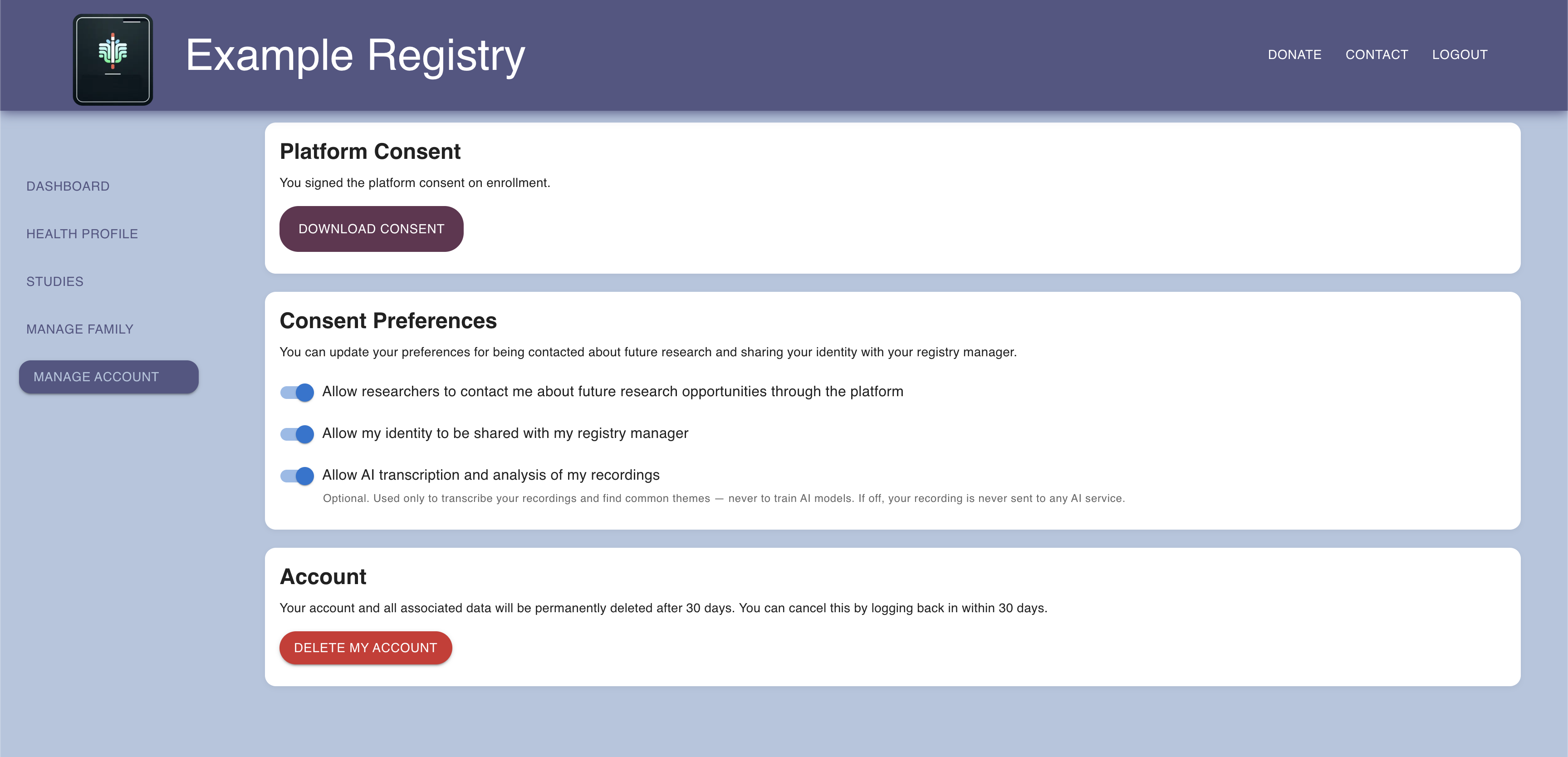
Participant consent preferences for recontact, identity sharing, and AI processing
Recontact, identity sharing, and AI processing are separate choices participants can change at any time.

Configured, Not Custom-Built

Every model above is the same platform with different modules switched on. Choose a model to see its configuration.

Enrollment pathways

Self-serve signup: on
Clinician-mediated: off
Caregiver & family: off
Invite links: on
Multi-site: off
Phone-only (SMS): off

Program modules

Studies: off
Multilingual content: off
Clinician data collection: off
Participant file uploads: on
Team file archive: off
Participant insights: on
Anonymous outreach: on
Transcript analysis: off

Always on, for every program

Platform consent (IRB-approved baseline)
Per-organization encryption
Survey engine
Analytics & exports
Audit trail
Participant data rights
Read about Patient & Disease Registries
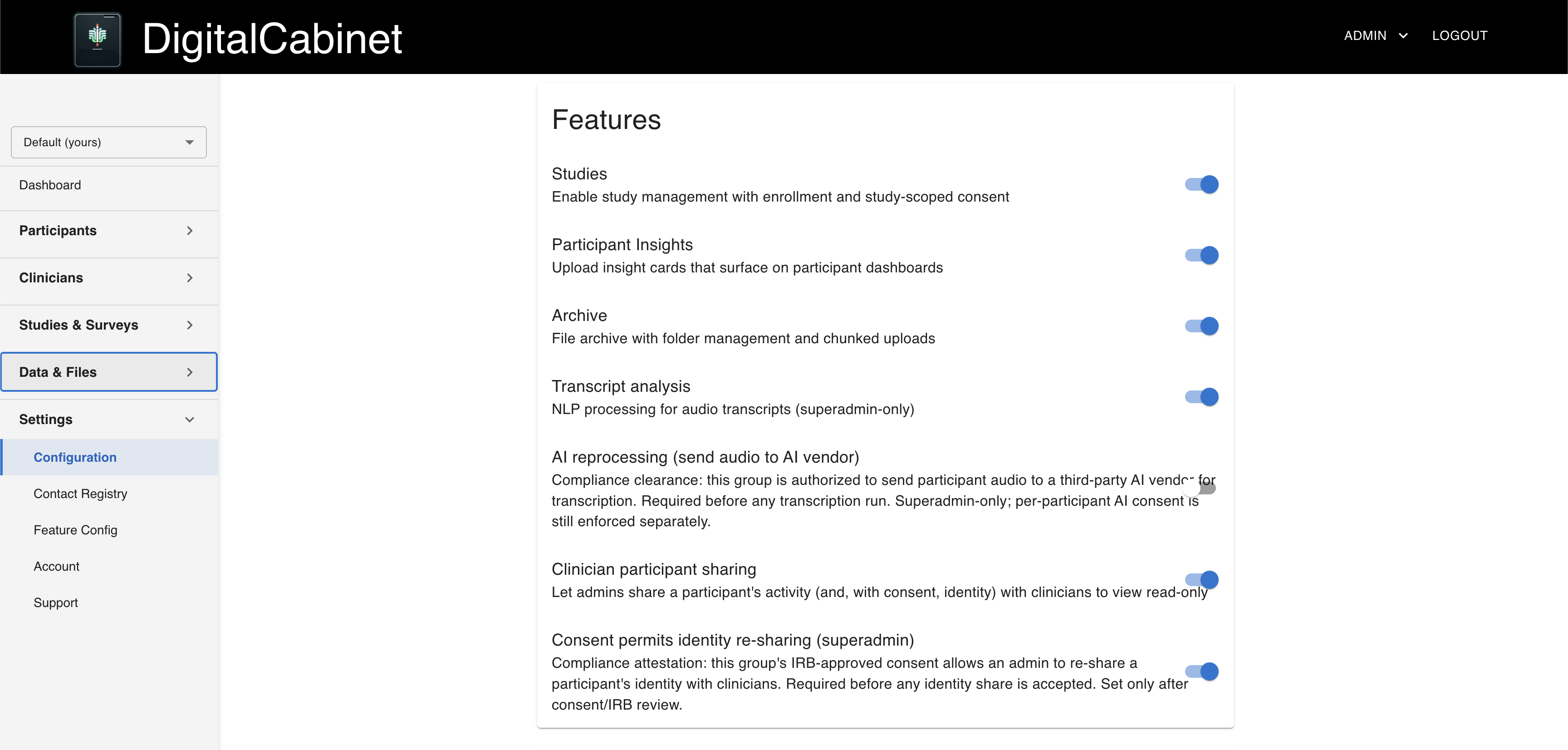
Program configuration page with enrollment pathways and feature toggles
The real configuration page. Admins switch features on and off; protected settings stay with Ethlen.

Everything in the Platform

The full capability set, organized by the four layers every program runs on.

Identity, Consent & Enrollment

Who can join, how they agree, and who can act on whose behalf.

Enrollment pathways

Self-serve signup
Participants register through your branded portal and consent on their own.
Clinician-mediated
Clinicians enroll participants by email, or by phone number alone with an SMS invitation.
Caregiver & family
One flow enrolls a caregiver and their dependents; co-caregivers join with their own accounts.
Invite links
Personal links that let a pre-enrolled participant claim their record.
Multi-site
Named sites with country codes and site-prefixed participant IDs.
Duplicate detection
Returning participants are matched to their existing record instead of getting a second one.

Consent

Platform consent
An IRB-approved baseline every participant signs, so programs launch without starting ethics review from scratch.
Study consent
Each study carries its own consent, and every revision is a new, strictly newer version.
Sealed e-signatures
Each signature is sealed to the exact consent text, the signer’s printed name, and a server timestamp. Any later change is detectable.
Granular choices
Recontact, identity sharing, and AI processing are separate opt-ins, changeable without re-signing.
Minors & capacity
Guardian permission, separate minor assent, dissent a guardian cannot override, and representative consent for adults who cannot consent.
SMS consent
A2P 10DLC consent captured and kept as the authoritative record for text messaging.

Identity & access

Role-based accounts
Participant, caregiver, clinician, researcher, staff, and admin accounts, each with its own permissions.
Own records only
Participants can reach only their own records, checked on the server for every request.
Family access
Caregiver access comes from the family roster and is re-checked on every request.
Pseudonymous by default
Records are keyed to a participant ID; names appear only where the participant allowed it.

Data Infrastructure

Where data lives, how it is protected, and how large it can get.

Isolation & encryption

Private environment
Each organization runs in its own isolated environment, with storage that is never shared.
Per-organization keys
AES-256-GCM encryption with a unique key for each organization. Data is decrypted only while it is in use.
Invisible to other tenants
A request for another organization’s data returns “not found,” so even its existence stays hidden.
Owned infrastructure
Hardware owned and operated by Ethlen in the United States and the European Union, not rented from a third-party cloud.

Files & large data

Resumable uploads
Chunked uploads that pick up where they left off, built for multi-gigabyte files.
Streaming encryption
Large files are encrypted and decrypted block by block, so size is never the limit.
Imaging de-identification
DICOM cleaned to the PS3.15 Basic Confidentiality Profile; NIfTI header identifiers removed.
Photo & document scrubbing
EXIF and GPS data stripped from photos. Documents that may contain PHI are quarantined for review.
Team file archive
A folder-based archive for your team, with nested folders, moves, and whole-folder downloads.
Signed links
Downloads use short-lived signed links that cannot be altered to reach another organization’s files.

Structured data

Encrypted responses
Every survey response is encrypted and stored with the participant’s record.
Separate sources
Clinician-reported data is stored apart from participant self-report and never merged.
Analytics database
A research database refreshed nightly powers dashboards and cross-participant exports.

Study & Workflow Engine

How you collect data, run studies, and stay in touch with participants.

Survey engine

Eleven question types
Text, number, date, single choice, multiple choice, dropdown, autocomplete, multi-select autocomplete, Likert scale, matrix, and card sorting.
Branching logic
Show or hide questions based on earlier answers, combined with AND and OR.
Validation
Required fields, patterns, length limits, number ranges, “Other” options, and help text.
Prerequisites & gating
Unlock a survey only after another is complete, or only when its answers meet a condition.
Three respondent types
Participants answer about themselves, clinicians about a participant, caregivers about a dependent.
Language versions
English, French, and Spanish versions share one survey key and roll up to one dataset.
Draft, preview, publish
Build in draft, preview as a participant would see it, publish, and reorder with drag and drop.
File requests
Ask participants for a specific file, such as a report, a photo, or a genome, with instructions.

Studies

Study setup
Titles and descriptions in each language, eligibility rules, and enrollment limits.
Study-owned instruments
Surveys and file requests belong to a study or to the registry, decided when they are created.
Consent sequencing
Platform consent must be in place before study enrollment, enforced on the server.
Enrollment reporting
Enrollment and consent status reported as counts, never as names.

Engagement

Anonymous outreach
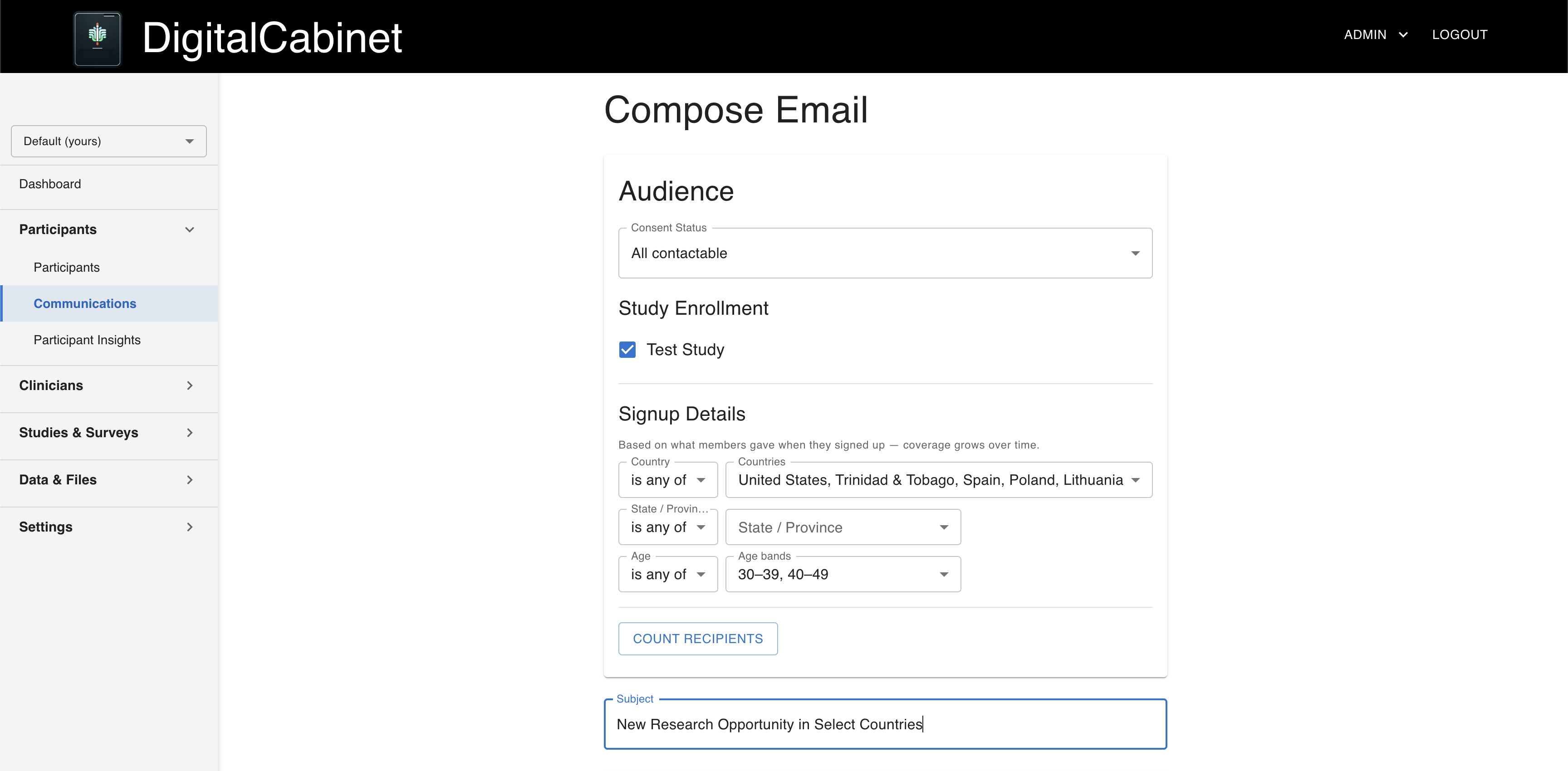
Email cohorts filtered by consent, study, demographics, and geography. Addresses are resolved on the server, and admins never see them.
Consent reminders
Nudge only the participants who have not yet consented.
Insight cards
Publish findings and updates to participant dashboards.
Transcript analysis
Interview audio transcribed into encrypted transcripts, only for participants who opted in to AI processing.
Composing an anonymous email to a cohort, with an audience count instead of addresses
Filter by consent, study, demographics, and geography. Admins see a count, never an address.

Governance, Analytics & Compliance

Who sees what, what gets recorded, and what you can prove.

Access & privacy

Tiered admin roles
Researcher, staff, and admin tiers, enforced on the server. Researchers and staff never see participant names or contact details.
Identity by consent
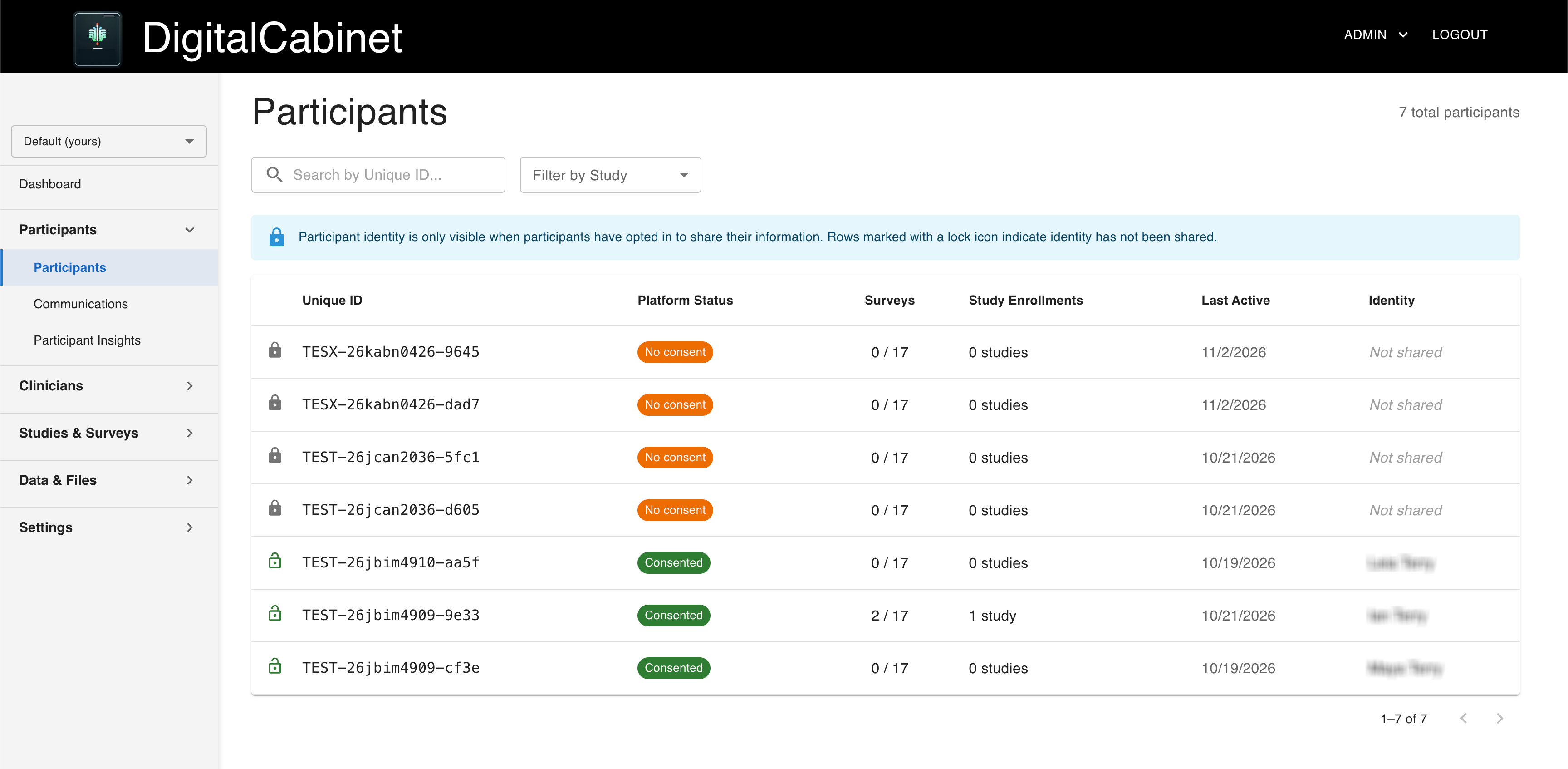
In the participant roster, names appear only for participants who opted in to identity sharing.
k-anonymity
Demographic breakdowns are suppressed for any group smaller than 3 respondents.
Layered authorization
Every request passes a gateway check, a verified identity check, and a role check.

Audit & integrity

Tamper-evident audit log
Actions are recorded in a log that can be checked for alteration.
Verified consent
Sealed consent records are verified each time they are read.
Accountable operations
When Ethlen staff act within your program, they do so under their own identity, and every action is logged.

Analytics & exports

Program dashboard
Signups by month, registry consent and survey completion (refreshed nightly), live study enrollment, and optional age and country summaries with small groups hidden.
Research-ready exports
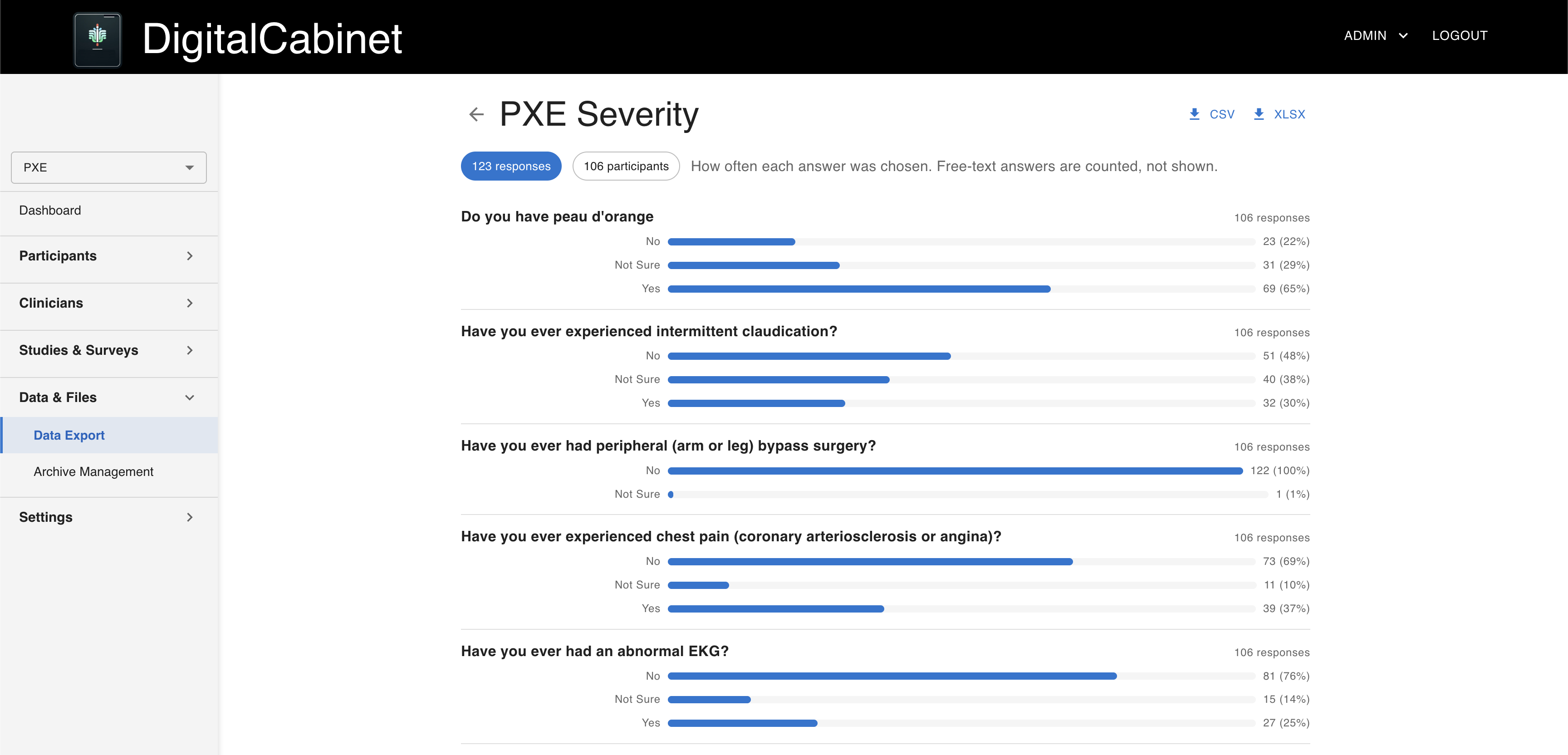
Wide-format CSV and Excel, one row per submission, ready for R, SPSS, or pandas.
Bulk export
Every survey’s data in a single download.
Clinician data exports
Clinician-reported data exported per survey or per participant, kept separate from self-report.

Data lifecycle

Participant rights
Participants view, download, and update their data, and can withdraw at any time.
Governed deletion
A 30-day grace window, then permanent erasure. Sealed consent records are retained.
Nothing lost by accident
Archiving a study or deactivating a clinician never deletes collected data.
Data export page with research-ready CSV and Excel downloads
Research-ready exports in CSV and Excel, one row per submission.

Fully Managed by Ethlen

Configured and deployed for you

We build your environment, load your surveys, consent language, and study structure, and launch. Most programs are live in 2–4 weeks.

Operated for you

Hosting, security updates, monitoring, and compliance maintenance are handled by our team.

Self-service where it helps

Your admins switch program features on and off from the Configuration page. Protected settings stay with our team.

Support built in

A knowledge center and support tickets, inside the admin portal.


Who Sees What

Privacy is enforced by role on the server, not by hiding buttons in the interface.

RoleWhat they doSees names and contact details
ParticipantContributes data, manages their consent choices, and can download or delete their records.Their own
CaregiverEnrolls and responds for the dependents in their family roster.Their family
ClinicianEnrolls participants and submits clinical data about the participants assigned to them.Enrolled or shared with consent
ResearcherRead-only access to aggregate program data: analytics, survey answer counts, and study totals.Never
StaffRuns day-to-day operations: surveys, studies, and files.Never
Group AdminManages the whole program, including clinicians and outreach.Names and contact details, if opted in

No role, including Group Admin, ever sees participant email addresses when sending outreach. Files participants upload can contain identifying details of their own; a Group Admin downloads an original only after confirming a need, and each download is logged.

Participant roster showing pseudonymous participant IDs without names
The participant roster: pseudonymous IDs, with names only for participants who opted in.

Named Standards, Real Mechanisms

Each standard below is backed by a specific platform mechanism.

21 CFR Part 11Sealed electronic signatures bound to the exact consent text.
HIPAAEncrypted PHI, consent-gated access, and automatic scan de-identification.
GDPRWithdrawal and erasure honored everywhere, with participant control over recontact, identity, and AI use.
Common Rule (45 CFR 46)Guardian permission, minor assent and dissent, and representative consent.
k-anonymityAnalytics suppressed below a minimum of 3 respondents.
DICOM PS3.15DICOM scans de-identified to the Basic Confidentiality Profile.
A2P 10DLCCarrier-compliant SMS consent, retained as the record.

Don’t See Your Program Model?

Most programs combine several of these. Tell us how yours runs, and we’ll walk you through the configuration that fits it.